

ByeWhy bills monthly based on completed survey responses — surveys where the customer submits at least one answer. They don't have to finish every question; a partial response still counts, since that feedback is valuable to you too.
- The first 3 completed responses each calendar month are free.
- After that, each completed response costs $1.
- Billing is capped at $100/month — it never costs more, no matter how many responses come in.
- Sent-but-unanswered and bounced surveys never count toward your bill.
- The free tier resets at the start of every calendar month.
A few examples
Small business — 10 cancellations, 3 respond. All 3 responses fall inside the free tier, so the bill is $0/month. Most small teams land here and never pay a cent.
Growing business — 50 cancellations, 20 respond. The first 3 are free; the other 17 are $1 each, so the bill is ~$17/month.
Large business — hundreds of cancellations. Once completed responses push the bill past $100, billing stops dead at the $100/month cap. Surveys keep sending and responses keep flowing into your dashboard for free past that point — you just never pay more than the cap.
When you're actually charged
Charges accrue as responses come in, and settle against your payment method on file at the end of each monthly billing cycle — there's no per-response charge the moment someone submits a survey. Nothing is billed until you cross the free 3 responses in a given month.
1. Find the app in your Stripe Dashboard
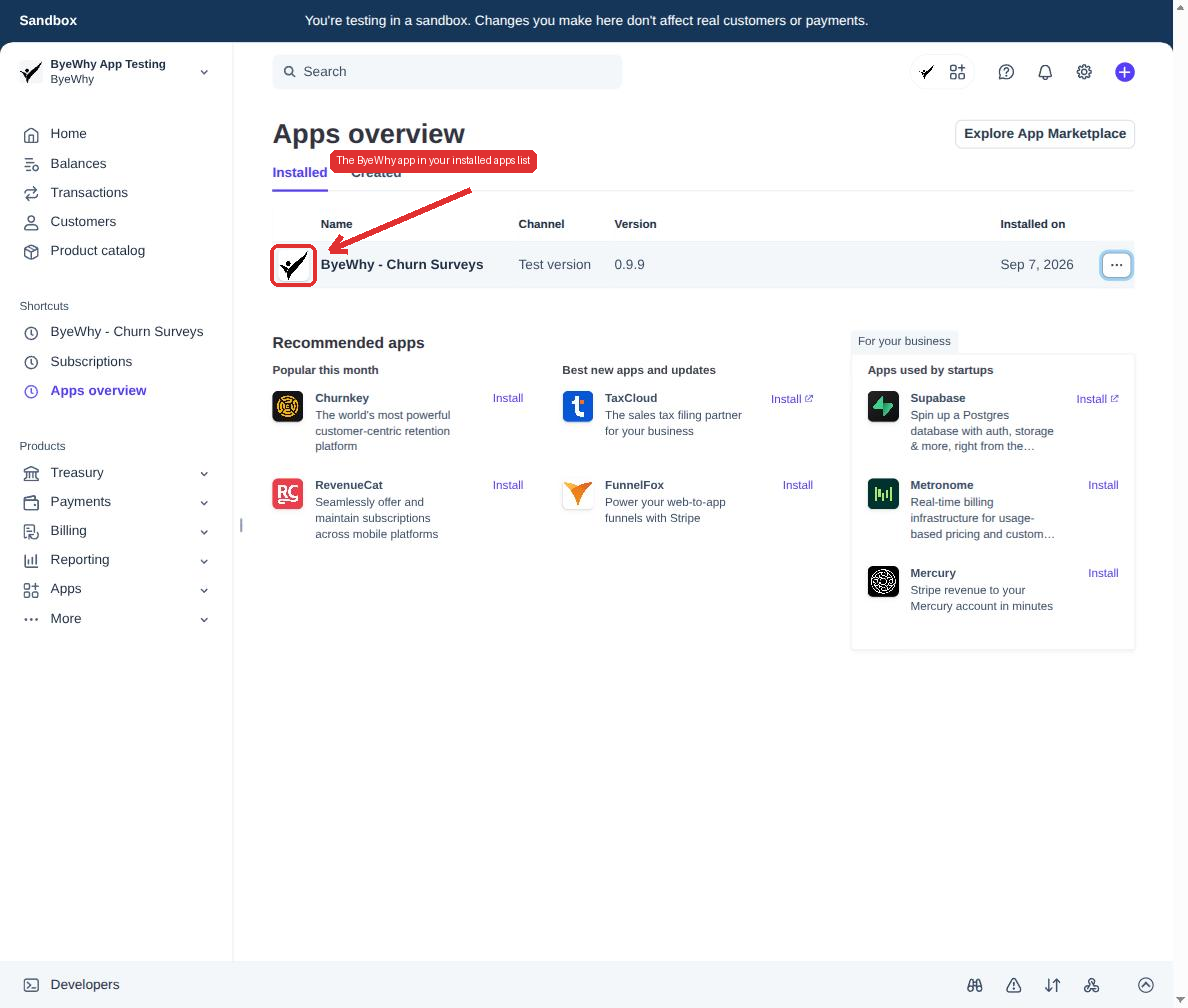
From your Stripe Dashboard, go to Apps → Installed apps. You'll see ByeWhy - Churn Surveys in your list of installed apps.
2. Open the app settings
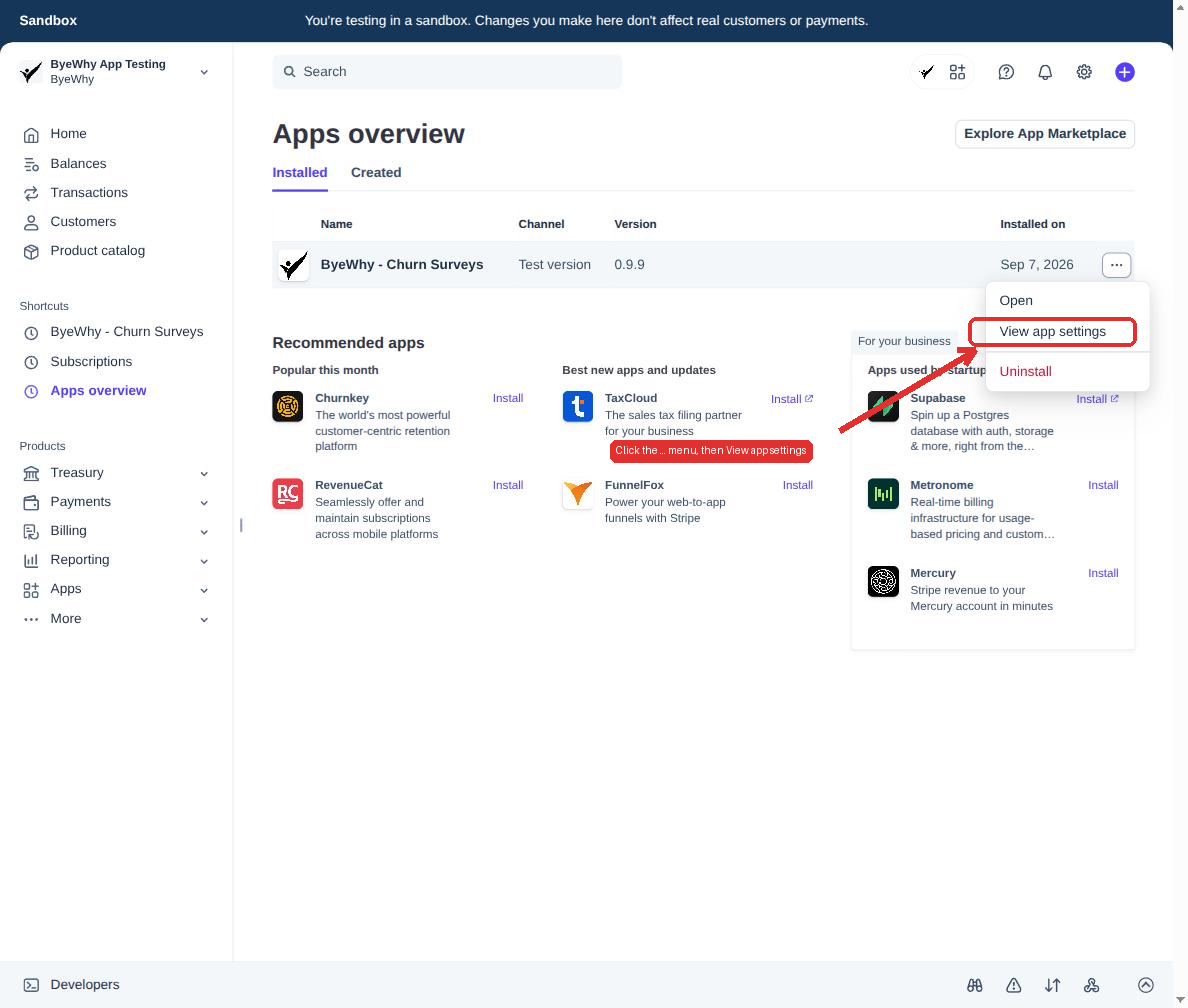
Click the ... menu at the end of the ByeWhy row, then choose View app settings.
3. Go to the Billing tab
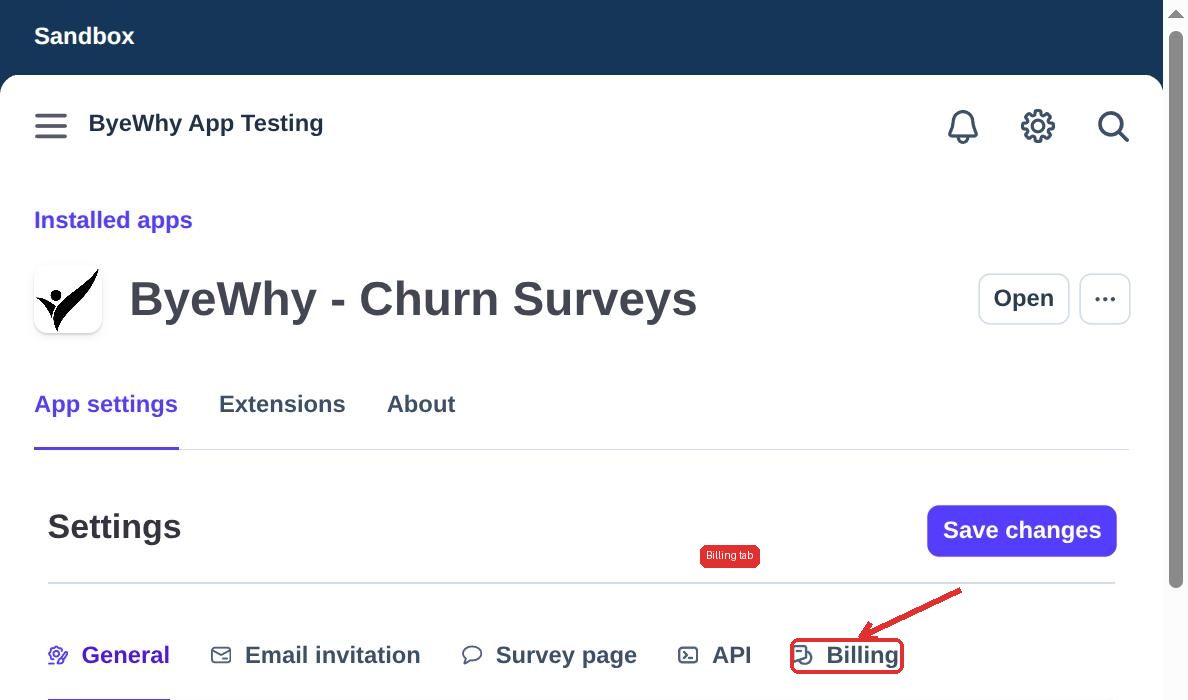
Click over to Billing — this shows exactly where you stand for the current cycle.
What each field does
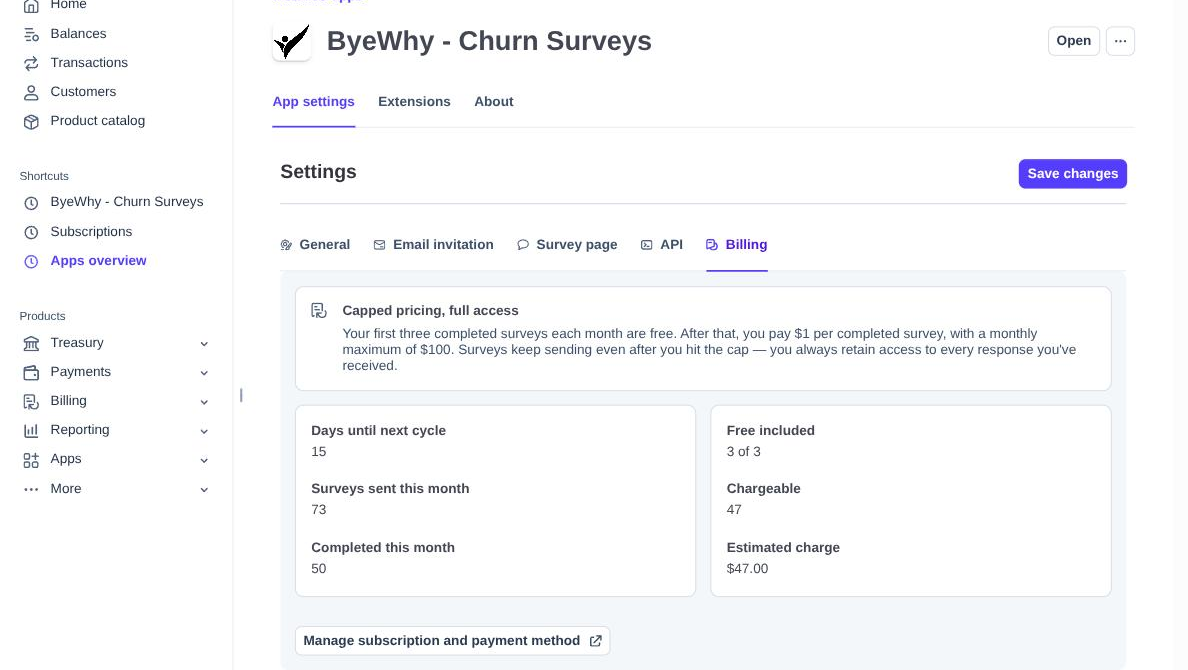
| Field | What it shows |
|---|---|
| Days until next cycle | How many days remain before this month's usage resets. |
| Surveys sent this month | Every invitation email sent so far this cycle, answered or not. |
| Completed this month | How many of those were actually completed — this is what billing is based on. |
| Free included | How many of your 3 free responses this cycle you've used. |
| Chargeable | Completed responses beyond the free 3. |
| Estimated charge | What you'd be billed for the current cycle if it ended today. |
If a payment method isn't on file yet, or if your payment method is expired, you'll see a banner here too. Survey emails pause until you add one — every response you've already collected stays visible regardless. See Managing Payment Methods for how to add or update the card ByeWhy bills.