

The full page dashboard is where you dig into every cancellation and survey response in detail. Open it from any of the "View surveys by" buttons in the drawer, or from the Apps menu in your Stripe Dashboard. It has three tabs, all built on the same underlying cancellation data — they just group and export it differently.
Every tab shares the same layout: a time period filter (All time, Current week, Last week, Current month, Last month, or Year to date), the cancellation trend chart, a data table, and an Export button in the top-right that downloads a CSV matching whatever filters are currently applied.
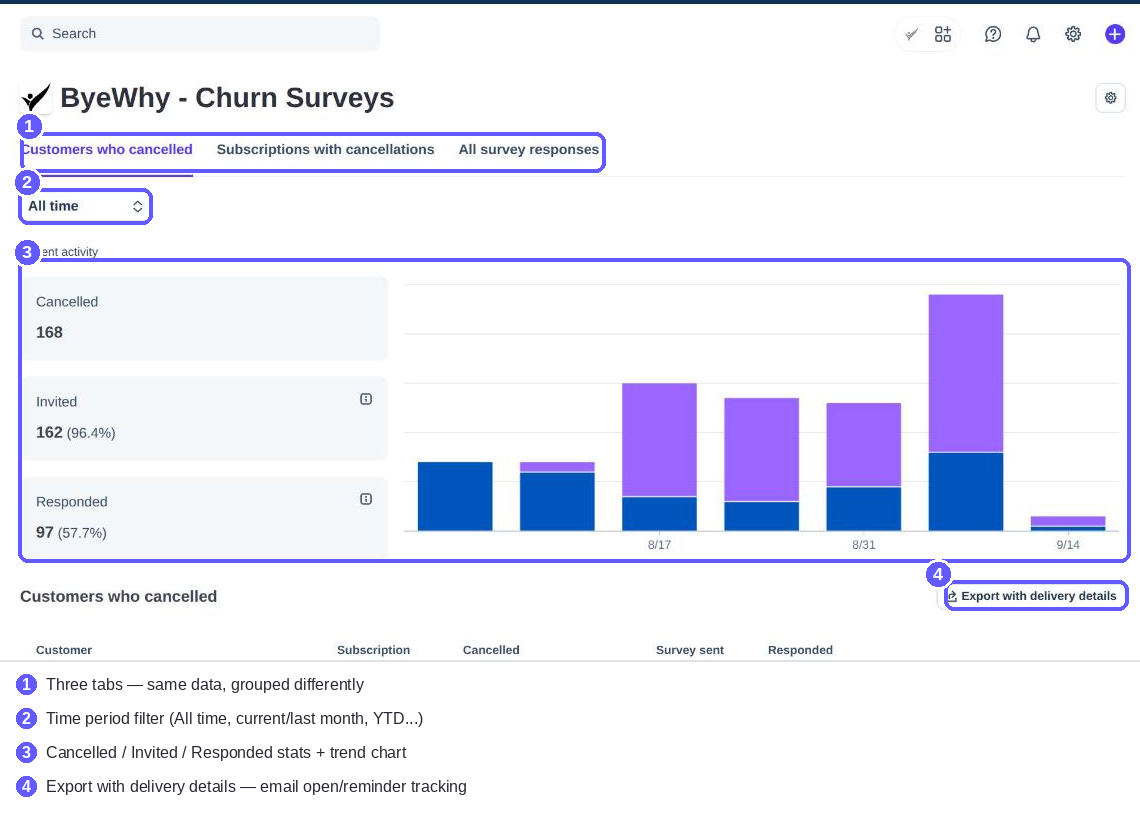
Customers who cancelled
One row per cancellation — the most granular view. Each row shows the customer, their subscription, when they cancelled, and whether they were invited to and responded to a survey. Click a row to open the full survey response, if there is one.
Export with delivery details downloads a CSV with one row per cancellation, including email delivery tracking that isn't shown in the table itself:
| Column | |
|---|---|
| Customer, Subscription, Cancelled At, Invited, Responded, Status | Same as the on-screen table |
| Email Sent At, Email Opened At | When the invitation was sent and opened |
| Reminder Sent At, Reminder Opened At | Same, for the follow-up reminder |
Use this export when you want to audit deliverability — whether emails are actually going out and getting opened — not just response content.
Subscriptions with cancellations
The same cancellations, grouped by product instead of listed individually. Each row is one product with its cancellation, invite, and response counts. Click a row to drill into that product's individual cancellations (the same detail as the Customers tab, scoped to that one product).
Export table downloads one row per product:
| Column | |
|---|---|
| Product | Product name |
| Cancellations | Total cancellations for that product |
| Surveys Sent | How many of those got an invitation |
| Responses | How many responded |
This is a summary export, not a per-customer one — use it when you want the shape of churn across your product line, not individual answers.
All survey responses
The full detail view — every cancellation survey, sent or not, same population as the Customers tab, but carrying each response's actual per-question answers instead of just yes/no invite/response flags. Two filters sit above the table:
- Product filter — narrow to one product
- Focus question — pick one question to surface as its own column in the table, so you can scan one question's answers across everyone at a glance
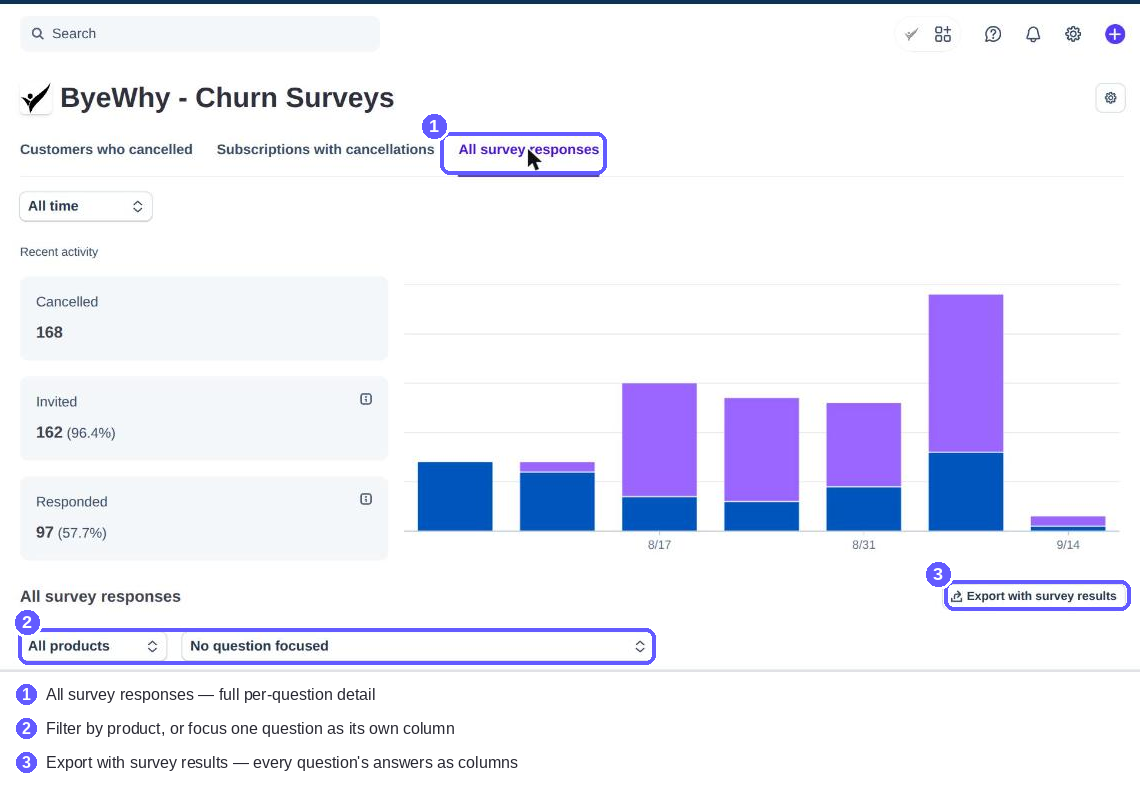
Export with survey results is the richest export: one row per cancellation, with Customer, Subscription, Cancelled At, Status, Invited, Responded, followed by one column per distinct question asked across the filtered set, each containing that customer's answer (blank if they didn't answer or weren't asked). This is the export to reach for when you want the actual feedback text, not just delivery or response counts — e.g. to paste into a spreadsheet or feed into another tool. For pulling the same data programmatically instead, see Using the API.
Which export do I want?
| I want... | Use |
|---|---|
| Raw feedback text, one column per question | All survey responses → Export with survey results |
| Email deliverability (sent/opened/reminders) | Customers who cancelled → Export with delivery details |
| A per-product summary for reporting | Subscriptions with cancellations → Export table |